Introduction
This page shows all the details of a Quick Check submission. This is also the place to add internal case notes and where you can chat directly with the website visitor about any associated fraud related to the submission.Submission Details Header

Bot Buster Recorded Details
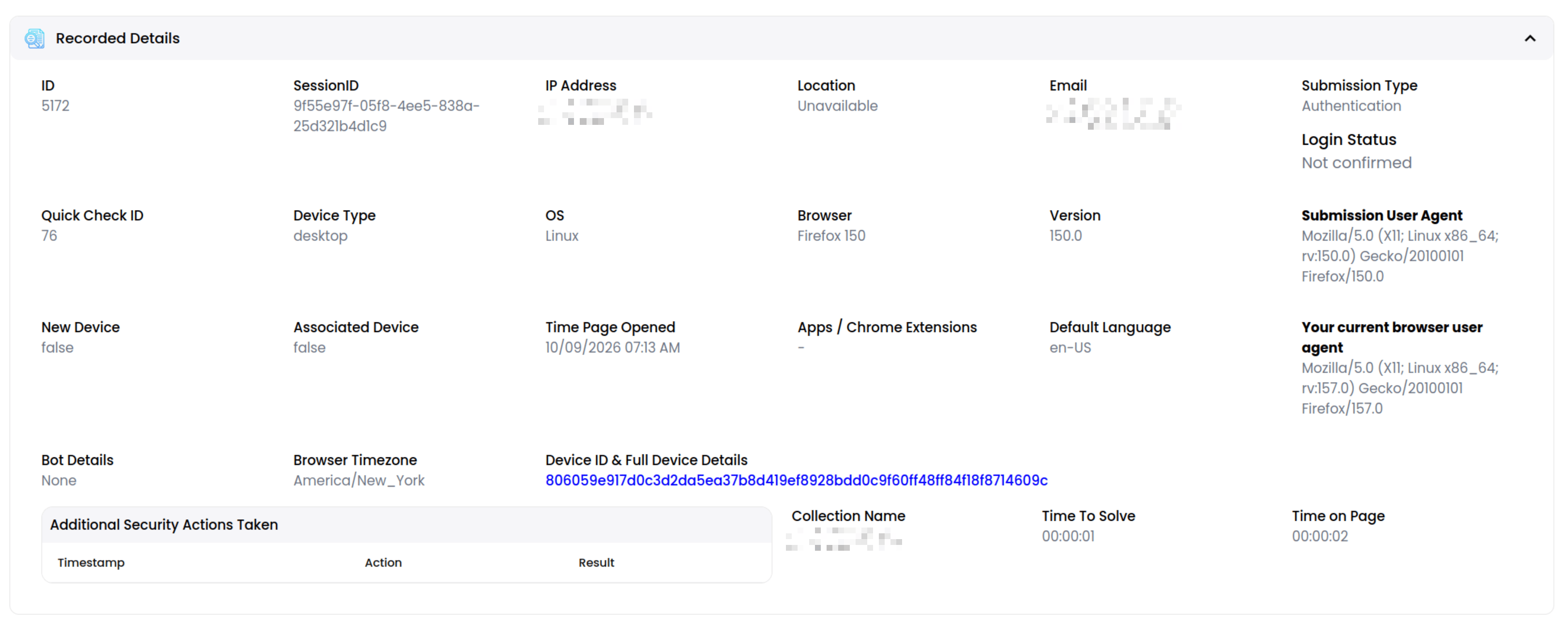
Additional Bot Buster Security Actions Taken
This table identifies any Bot Buster additional security actions taken by the website visitor when completing the Quick Check.Test Image With Results
This section shows the test image itself and where it was clicked/swiped. Any collections created by your organization will also show the correct area for that particular test. The instruction text shown to the user is also shown.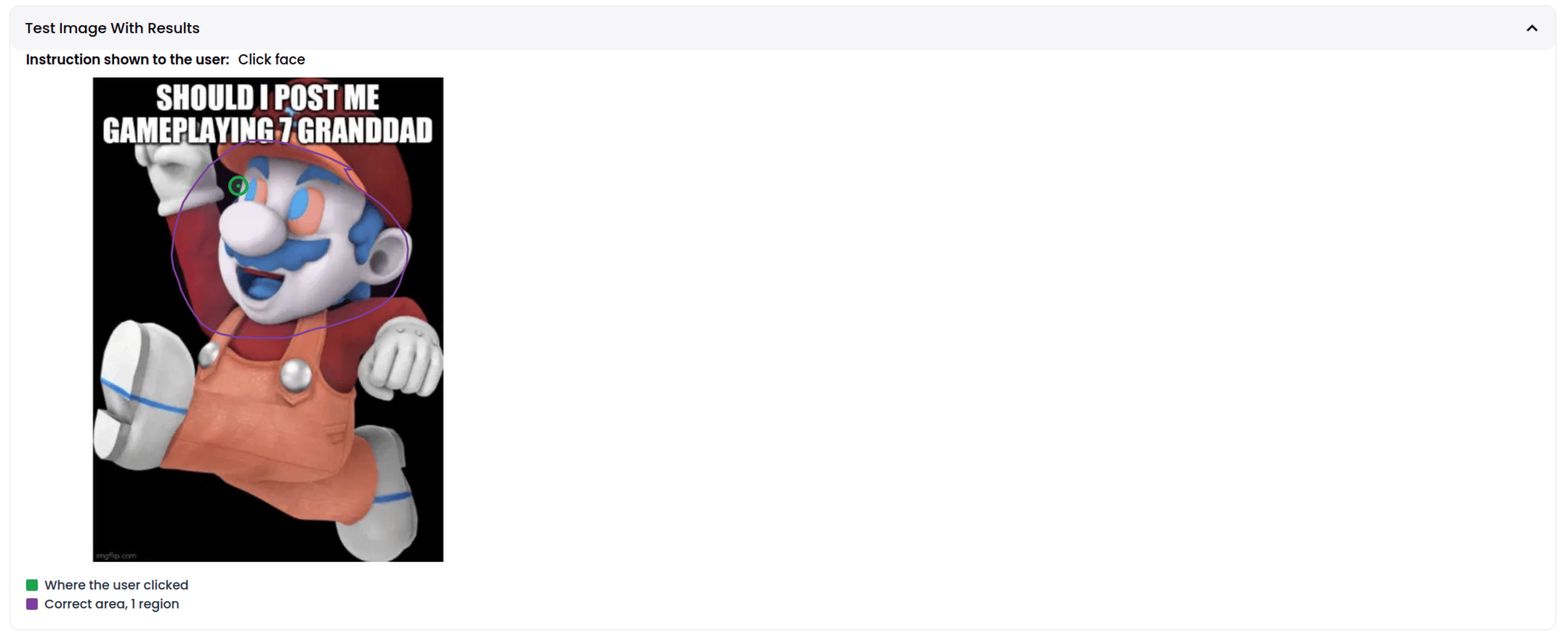
Internal Notes and Remediation Steps Taken

Customer Chat
